
Colour in itself can be a slippery customer. Colour may agree with set numerical values but when its being reviewed visually and approved for a particular job it’s not unknown for a customer to voice some concern regarding colour accuracy. The reason may be that the way we each interpret colour differs. But that’s not all, when colour is being evaluated a phenomenon known as geometric metamerism may occur whereby colours that are actually not the same appear to be a match at one angle of illumination and viewing but when the angle of illumination is changed the colours then no longer match. Geometric metamerism is often associated with issues surrounding gloss and/or substrate surface texture.
 Sometimes it’s more about eliminating what the problem isn’t. In other words a good way to find the root cause of a colour related issue is to methodically check through a compiled list of documented or known causes until what remains is hopefully the solution to the presenting problem. Even before doing that though it’s worthwhile for flexographic pre-press and pressroom managers to think carefully. Has something changed?
Colour may sometimes appear more intense than it should be. It could be that too much ink is being carried by the metering roll/doctor blade; alternatively consider whether the ink has become more concentrated during mixing. Cautiously adding an extender in small amounts will sometimes resolve this problem. If the problem has been identified as one of too much ink, the volume can be reduced by adjustment of metering system or by adding thinners where and when appropriate.
While colour may be too intense, the opposite can occur. This is when the colour looks washed out or paler than expected. If this happens it may be due to the ink being too thin. Insufficient ink being picked up can occur because the anilox has become partially clogged. In which case the anilox must be cleaned: assuming of course the anilox with the correct cell count is being used in the first place? Increasing the viscosity of the ink with fresh and un-thinned ink and then cautiously increase speed is of course an option.
Defects such as dirty print; that is where clumps of ink larger than the half tone image are transferred to the moving web may be caused by using ink that is in some way not optimised for the purpose and when changes to the dryer have not been made. For instance: adjustments to cope with increased or conversely slower dryer speeds.
 UV curable inks less so now than in the past can present challenges such as spitting and dive- in. The latter can generally be resolved by adjusting the speed in relation to the curing lamp wattage. Spitting can be resolved by lowering the viscosity of the ink, though that may not always be possible and by adjustment or replacement of a suitably optimised doctor blade.
When working against the clock and the client is awaiting delivery, It’s worthwhile having a handheld troubleshooting colour communication, colour proofing tool that can be taken from press to press for proofing purposes and to detect and help resolve ink/colour related issues on the fly.
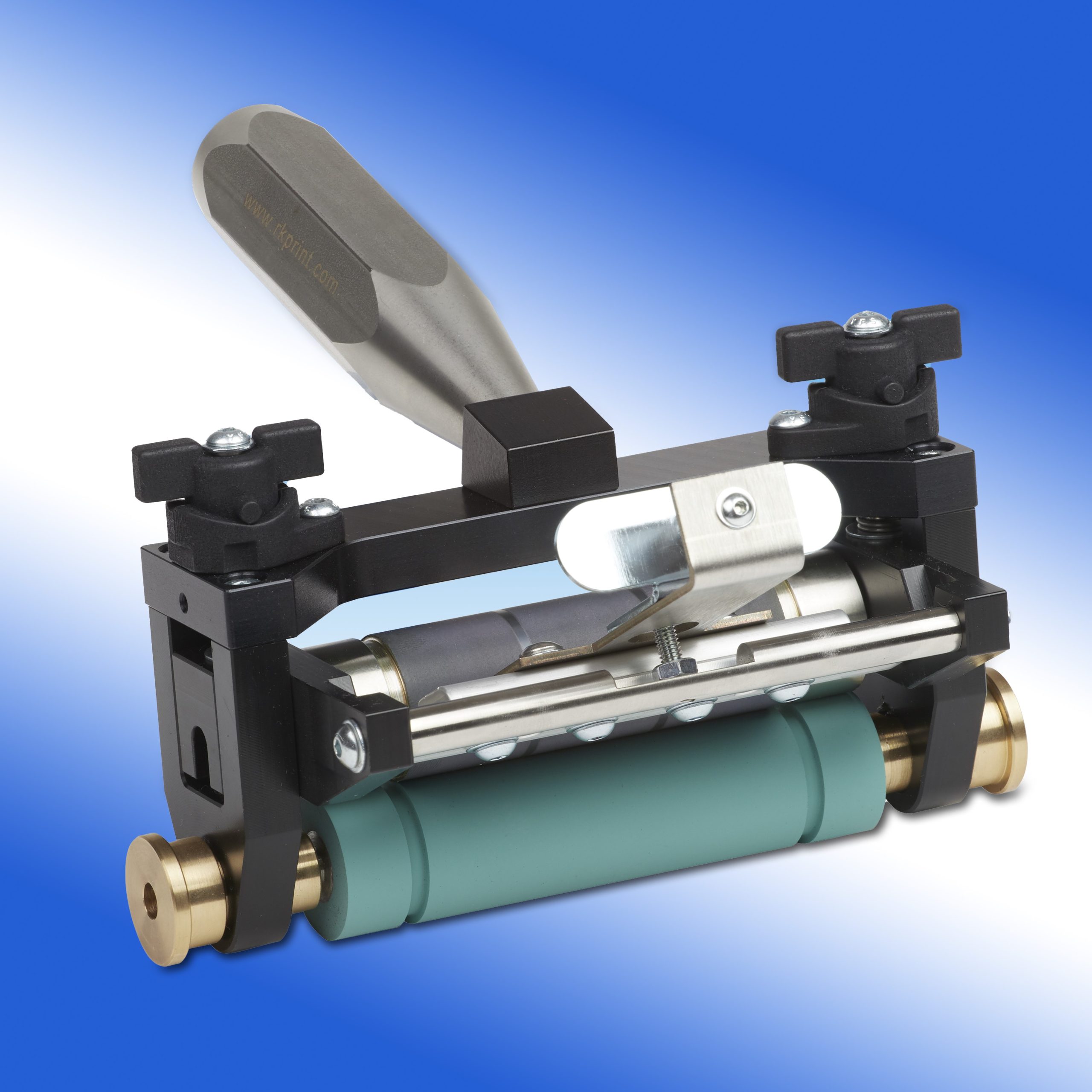
One such device developed by RK Print Coat Instruments Ltd is the Esiproof. This is a compact precision proofing unit supplied in a case into which an EPDM stereo roller and doctor blade are fitted. This configuration enables the user to obtain realistic, high quality proofs of up to one metre in length. The use of a doctor blade facilitates the proofing of fine tones and higher viscosity inks such as UV inks.
The Esiproof can be supplied with ceramic laser engraved rollers from 140 to 800 cells per linear inch or with mechanically engraved steel (QCH type screen) and chrome plated anilox rolls. The unit enables colour proofing for both customer approval and spectrophotometer readings.
